 Scrape
 Brands
 Radar
Radar Hooks
Hooks Scripts
 History
How to scrape Sephora reviews
By Daniel, founder of Adlicio · 3 min read
Quick answer
Sephora has no public review API. Here are the routes that actually work, and how to turn a product's reviews into ranked ad angles in about 60 seconds.
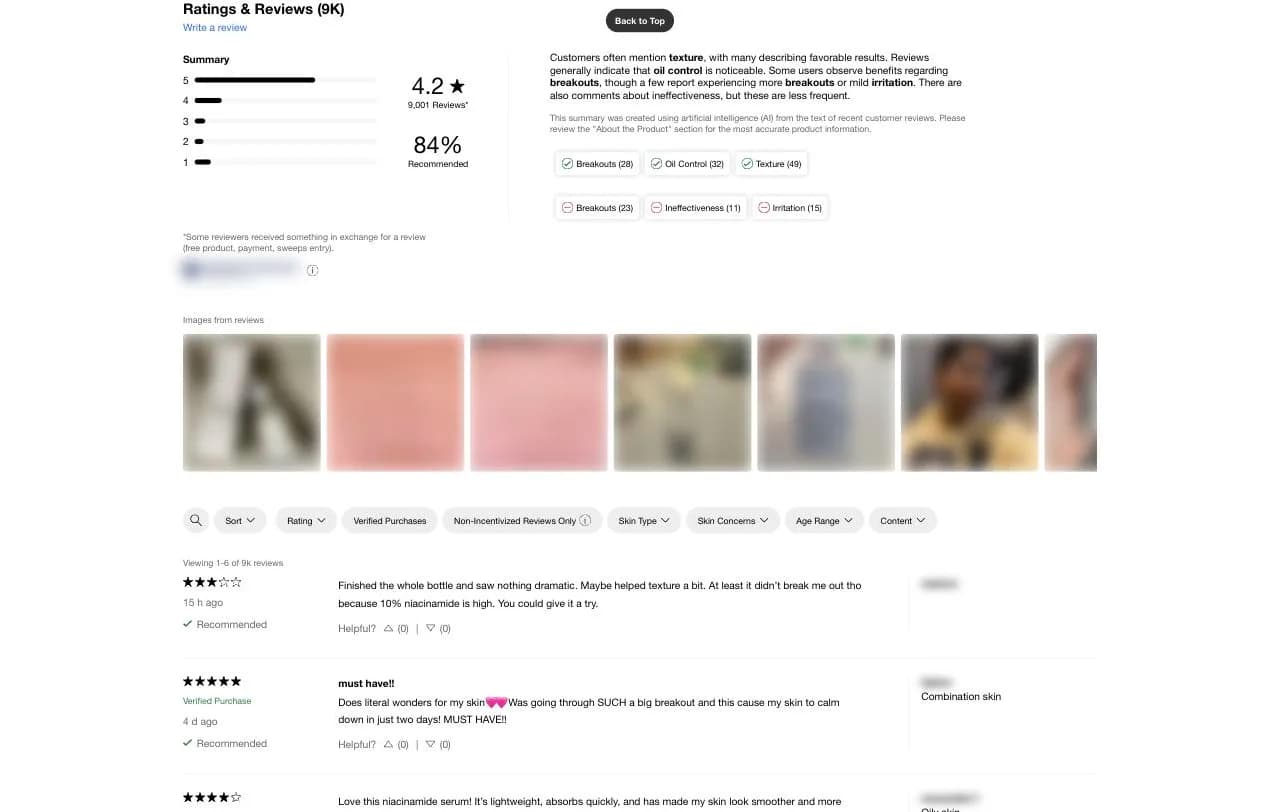
Start with the bad news: Sephora has no public API for review text. The reviews you see on a product page are pulled in by a third-party ratings widget that renders in JavaScript after the page loads, so a naive scraper that reads the raw HTML gets an empty shell. That is why so many people assume Sephora reviews are un-scrapable, when really they just load a step later than the rest of the page.
The reason it is worth the trouble: Sephora reviewers write with unusual precision. They note skin type, undertone, and shade match, oily skin, fair with warm undertones, combo and acne-prone, which is exactly the callout language a beauty ad needs. Here are the realistic ways to get that language out, from copy-paste to pulling a product's reviews as ranked angles in about 60 seconds.
★ 4.6 on the Chrome Web Store · no card needed
Manual collection: fine for a handful, painful past that
You can open a product, sort by most recent or most helpful, and copy reviews into a doc. For a quick read on one hero product this is fine. It falls apart the moment you want the whole picture: the reviews paginate, load as you scroll, and the segment-specific gold, the person with your buyer's exact skin type, is scattered across dozens of pages. You end up quoting the same top five reviews everyone else already read.
The API route is closed, and scripts are brittle
There is no public Sephora API that returns review content for research. Developers sometimes try to scrape the widget's underlying data feed with a headless browser and a parser, and it can work, until the markup shifts, the review widget updates, or the traffic trips a bot check. Because the reviews render client-side, you cannot just fetch the HTML; you have to run a real browser, which is the maintenance tax that makes DIY scraping a second job instead of a research step.
The paste-a-URL route
Adlicio reads any public Sephora product page through your own browser session, the same reviews any shopper sees rendered widget and all, with no API key and no script to babysit. Paste the product URL and it returns the reviews in about 60 seconds.
It does not stop at collection. The reviews come back clustered into ranked angles: the results buyers credit the product with, the doubts blocking the sale, and the skin-type and shade language they use, each backed by the verbatim Sephora quotes behind it. The raw reviews stay exportable.
The 60-second version
- 01Pick the products your buyers compare
Your own listing, the prestige competitor you lose sales to, and the category best-seller. Their reviews hold different halves of the story.
- 02Paste each product URL into Adlicio
Any public Sephora product page. The scrape reads the reviews through your browser session and finishes in about 60 seconds per product.
- 03Mine the angles, keep the quotes
Work from the ranked clusters. The recurring result becomes your hook, the skin-type callout becomes your targeting line, and the verbatim quote becomes your proof.
Questions people also ask
Why does my scraper return no Sephora reviews?+
Because the reviews render in JavaScript after the page loads. Fetching the raw HTML gets you an empty shell. You need a real browser session, which is what Adlicio uses, so it captures the reviews any shopper actually sees.
Can I scrape Sephora reviews by skin type?+
The reviews carry the reviewer's noted skin type and concern where shown, so the ranked angles surface which results map to which segment. That skin-type specificity is the reason Sephora reviews are worth mining for beauty ads.
How many Sephora reviews can I pull at once?+
Adlicio pages through the public reviews rather than stopping at the top few, so the corpus reflects the review body the product page serves, not just the first screen.
Can I export Sephora reviews to a spreadsheet?+
Yes. Every scrape lands in your history with a CSV export, so you can filter the raw reviews alongside the ranked angles.
About the author
Daniel is the founder of Adlicio. He builds the scrapers behind it and uses them daily to turn customer comments and reviews into ad angles.
More guides
Sephora scraperAll scrapersSee pricing
Run this play on your own Sephora page.
Paste one public URL. Adlicio returns the angle, hook, and proof to test next.