 Scrape
 Brands
 Radar
Radar Hooks
Hooks Scripts
 History
How to scrape Reviews.io reviews
By Daniel, founder of Adlicio · 3 min read
Quick answer
Reviews.io's API is for merchants' own data, not competitors. Here are the routes that work, plus turning a brand's reviews into ad angles in about 60 seconds.
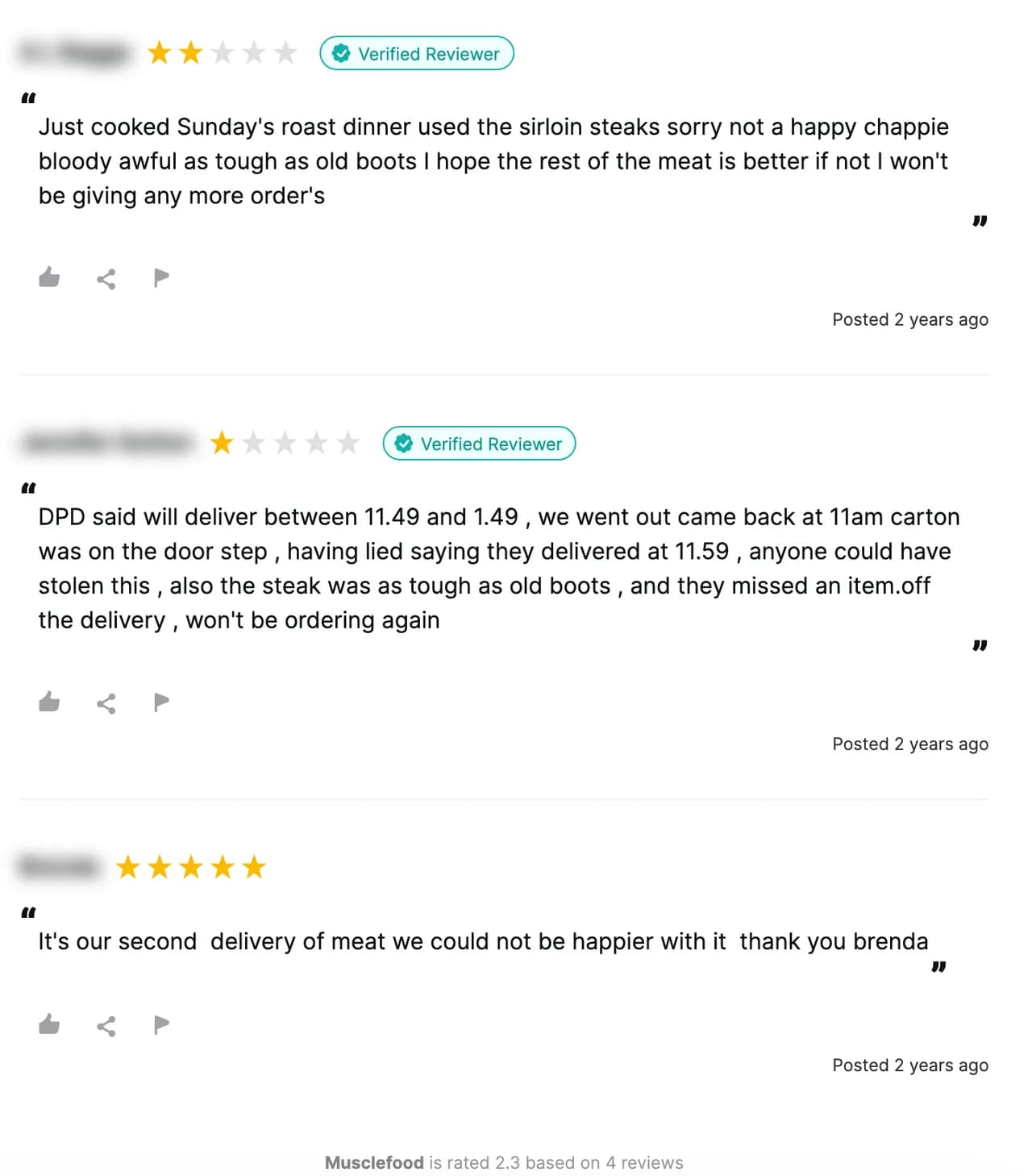
Reviews.io is a merchant review platform, UK-heavy, that sits behind a lot of DTC storefronts collecting verified company and product reviews. It offers an API, but that API serves the merchant their own review data; it is not a research feed for pulling a competitor's reviews. The good news is that a brand's company page and its reviews are public, so you can read them without any account.
It is worth reading because company-level reviews carry a different signal than product marketplaces. Instead of product specifics, they lean on service, delivery, and trust, does it arrive, is it as pictured, would I order again, which is exactly the reassurance a DTC ad needs to disarm. Here are the realistic routes, ending with turning a brand's reviews into ranked angles in about 60 seconds.
★ 4.6 on the Chrome Web Store · no card needed
Manual collection: fine for a skim, slow for the pattern
Open a brand's public Reviews.io profile, scroll, and copy the useful reviews. It works for a quick read. It does not scale: the reviews paginate, company and product reviews mix together, and the trust and delivery language you want is spread across pages you will not sit through. You skim the first screen and miss the recurring theme.
The API serves merchants, not researchers
Reviews.io's API is built for the merchant collecting reviews on their own store, authenticated to that account. There is no clean public endpoint that hands you a competitor's reviews for research. Developers can scrape the public profile page directly, which works until the markup changes or the traffic gets rate-limited, the standard upkeep cost of maintaining your own scraper.
The paste-a-URL route
Adlicio reads the reviews on any public Reviews.io profile through your own browser session, the company and product reviews any visitor sees, with no API key and no code. Paste the profile URL and it returns the reviews in about 60 seconds.
Then it ranks them. The reviews cluster into angles: the trust and consistency buyers credit the brand with, the delivery and expectation complaints to answer, and the repeat-buyer proof to lead with, each with the verbatim Reviews.io quotes behind it. The raw reviews stay exportable.
The 60-second version
- 01Pick the DTC brands you compete with
Your own profile, the competitor you lose sales to, and a category leader. Their company and product reviews hold the trust language and the complaints you can position against.
- 02Paste each profile URL into Adlicio
Any public Reviews.io profile. The scrape reads the company and product reviews through your browser session in about 60 seconds.
- 03Mine the angles, keep the quotes
Work from the ranked clusters. The repeat-buyer line becomes your hook, the delivery complaint becomes the objection you answer, and the verbatim quote becomes your proof.
Questions people also ask
Can I use the Reviews.io API to get a competitor's reviews?+
No. The Reviews.io API is scoped to the merchant collecting reviews on their own store, not to pulling a rival's data. Adlicio reads the public profile page instead, the same company and product reviews any visitor sees.
What kind of language do Reviews.io reviews carry?+
Because many are company-level, they lean on service, delivery, and trust rather than product specifics. That makes the ranked angles strong for the reassurance and repeat-buyer proof a DTC ad needs.
Does it separate company reviews from product reviews?+
Reviews.io splits product-level reviews from company reviews on the profile, so a scrape captures both and the ranked angles keep the product praise and the service complaints distinct.
Can I export Reviews.io reviews to a CSV?+
Yes. Every scrape lands in your history with a CSV export, so the raw reviews sit alongside the ranked angles for filtering.
About the author
Daniel is the founder of Adlicio. He builds the scrapers behind it and uses them daily to turn customer comments and reviews into ad angles.
More guides
Reviews.io scraperAll scrapersSee pricing
Run this play on your own Reviews.io page.
Paste one public URL. Adlicio returns the angle, hook, and proof to test next.