 Scrape
 Brands
 Radar
Radar Hooks
Hooks Scripts
 History
How to scrape Disqus comments
By Daniel, founder of Adlicio · 3 min read
Quick answer
Disqus loads comments in an iframe, so copy-paste and naive scrapers break. Here is what works, and how to pull an article's comments in about 60 seconds.
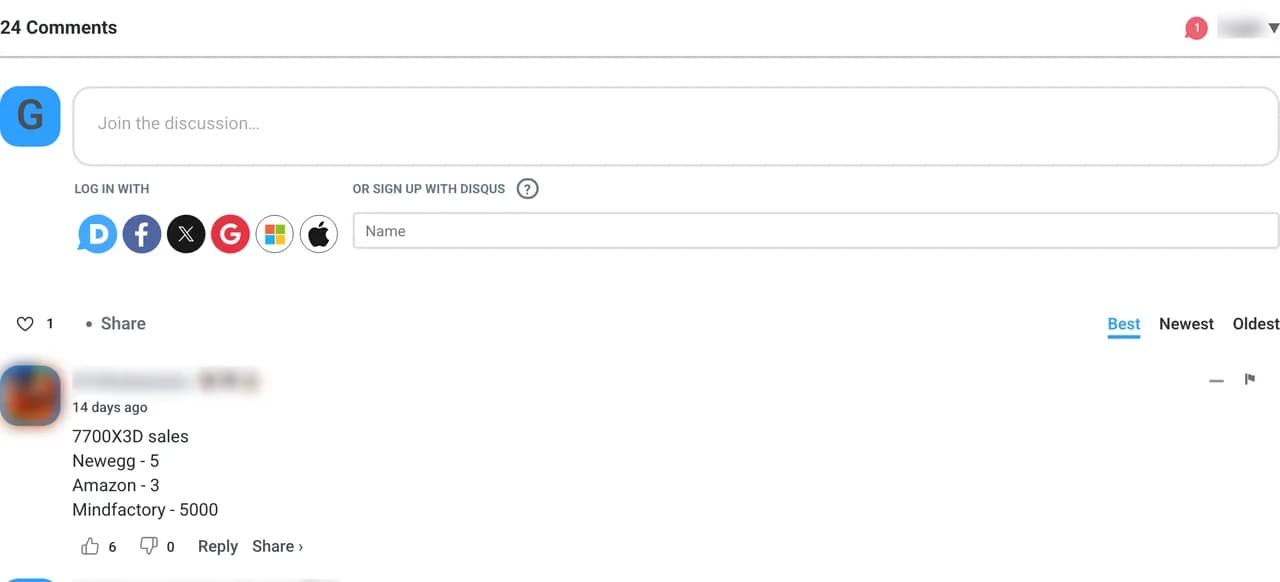
The reason this trips people up: Disqus loads its comment section inside an embedded iframe, so the text is not sitting in the article's page HTML the way a normal comment section is. A plain scraper points at the article, finds nothing, and gives up. Even copy-paste is awkward because the thread lazy-loads more comments as you scroll and hides replies behind toggles.
So the real question is not whether the comments are public, they are, it is how to get them out of that iframe cleanly. Here are the three routes that actually work in 2026, from copying by hand to pulling a whole thread in about 60 seconds.
★ 4.6 on the Chrome Web Store · no card needed
The manual route and where it breaks
You can open the article, scroll the Disqus panel, expand the reply toggles, and copy what loads. For a thread with a dozen comments this is tolerable. It falls apart on the busy ones: Disqus loads comments in batches as you scroll, sorts them by votes or recency, and buries the sub-replies where the real back-and-forth lives. You end up with the loudest few comments and miss the pattern spread across the rest.
The official Disqus API and who it is really for
Disqus does publish an API, and it can return thread comments as JSON. The catch is who it is built for: it is aimed at site owners managing their own forum, so you register an application, get an API key, and work within rate limits and terms written around moderating a site you control. For studying the comment section under someone else's article in your niche, you are registering a developer app and writing code to read something any visitor can already see. If code and key management are not your job, that is a lot of overhead for research.
The paste-a-URL route
Adlicio reads the public Disqus comments under an article URL through your own browser session, the same content any reader sees, no developer app and no API key. It handles the iframe and the lazy-loading for you and finishes in about 60 seconds.
Then the comments come back clustered into ranked angles: the recurring reactions, the objections, and the phrases readers reach for when a piece hits a nerve, each with the verbatim quote behind it. Blog and independent-publication comment sections tend to carry longer, more opinionated takes than a product review ever would, which is exactly the language you want. The raw comments stay exportable.
The 60-second version
- 01Find the articles your audience actually argues under
Category coverage in your niche, a review or opinion piece that named a real grievance, or a publication your buyers read. Busy comment sections hold more usable language.
- 02Paste the article URL into Adlicio
Point it at the public article. The scrape reaches into the Disqus iframe, expands the thread, and finishes in about 60 seconds.
- 03Read the clusters, lift the phrasing
Work from the ranked angles: the recurring complaint becomes your hook, the verbatim comment becomes your proof line.
Questions people also ask
Why does copy-pasting Disqus comments come back empty?+
Because Disqus renders inside an iframe, the comment text is not in the article's own HTML, so a plain copy or a naive scraper grabs the surrounding page and misses the thread. Adlicio reads the iframe content directly.
Can I scrape Disqus comments without writing code?+
Yes. Adlicio reads the public thread through your browser session, so there is no Disqus developer application, no API key, and no script to maintain.
Does it capture the reply threads under a comment?+
Yes. The nested replies are expanded and included, which matters because that is where readers argue a point out and reveal the objection your ad has to answer.
Can I export the Disqus comments to a CSV?+
Yes. Every scrape lands in your history with a CSV export, so you can filter the raw comments alongside the ranked angles.
About the author
Daniel is the founder of Adlicio. He builds the scrapers behind it and uses them daily to turn customer comments and reviews into ad angles.
More guides
Disqus scraperAll scrapersSee pricing
Run this play on your own Disqus page.
Paste one public URL. Adlicio returns the angle, hook, and proof to test next.